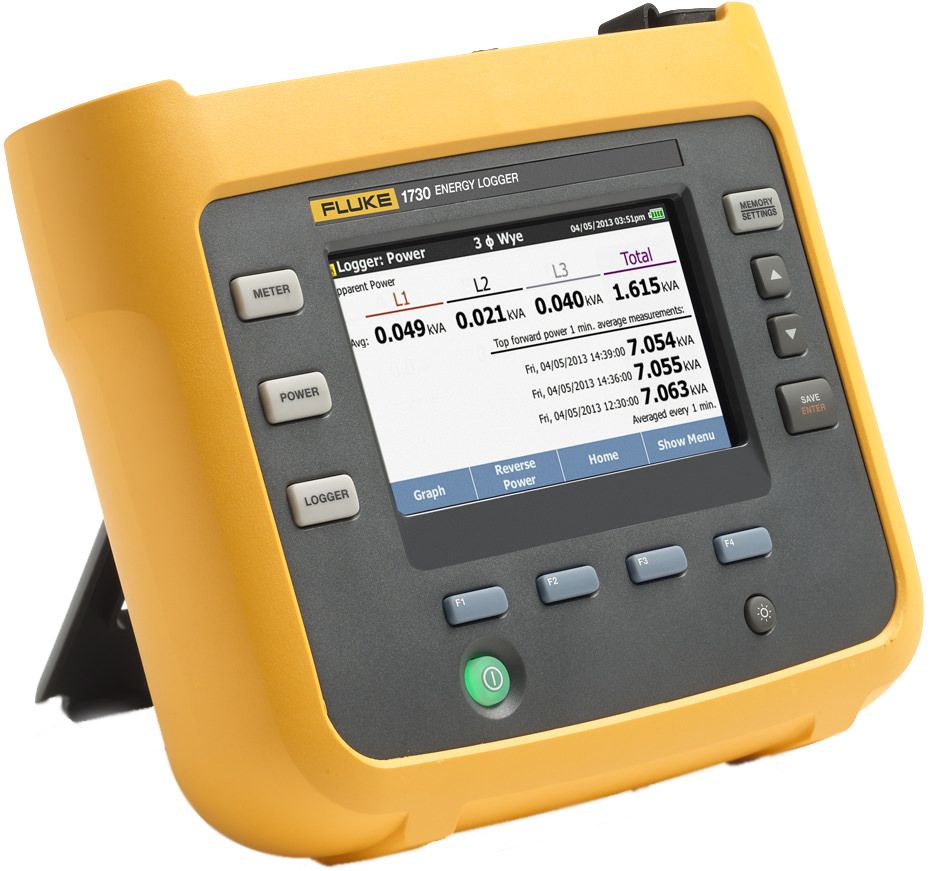
The Fluke 1730 energy logger is ideal for anyone who wants to look at where energy savings can be made. Following extensive market research with various different users, Fluke have developed this product to make it simple-to-use, whilst giving you the key information to make the right decisions in terms of where you can save money on power consumption.
The Fluke 1730 will measure current and voltage on a single or three phase system, logging all the information for download to the new Energy Analysis software (included with the unit). A host of key parameters are available including:
- Voltage
- Current
- Frequency
- THD of Voltage & Current
- AUX Voltage
- Active Power (W)
- Apparent Power (VA)
- Non-Active Power (var)
- Power Factor (PF)
- Energy (kWh)
- Fundamental Active Power (W)
- Fundamental Reactive Power (var)
- Fundamental Apparent Power (VA)
- Displacement Power Factor (DPF / cos Φ)
Easy to Setup
One of the most confusing tasks with some energy analysers is the complexity of setup. Making the decision as to what you want to measure, how long to survey and other parameters can make the process long and difficult. With the Fluke 1730, this is not a problem. Simply choose whether you want to perform and energy or a load survey, select the logging period and the analyser will do the rest.
Navigation of the menus is very intuitive and the inclusion of a touch screen makes the process simple and easy. The ergonomic design also means menu navigation is easy if you are wearing protective gloves.
Energy Analyze Software
Fluke have designed new software for the 1730. Energy Analyze allows you to show clearly the downloaded data on a graph, allowing the user to zoom into any part of the survey and view details such as consumption, THD, var etc. In addition you can create a report via a simple tab, which enables you to add your client information, description & detail of the survey and any additional notes.
Report creation is simple, utilising drag-and-drop to include the relevant information. Data can also be bookmarked for quick access.
Future Proofing
Updating the software that powers the Fluke 1730 is a very easy process. Firmware updates can be downloaded from the Fluke website, transferred to a USB and then connected to the analyser. There are no menu functions to access in order to update the firmware, on start-up, the 1730 will check if the firmware version on the USB is newer than on the analyser and automatically initiate the update mode.
Connecting the Fluke 1730
Another problem with some analysers is making the connection. Ensuring all connections are correct and that the CTs are round the right way is key to ensuring you get the best out of your survey. The 1730 features a single, flat voltage lead with four 4mm banana plugs and croc clips. This lead design simplifies the connection process and also stops issues with tangled leads when transporting the unit.
The analyser has a Li-Ion battery, which will last up to 4.5 hours, however you can power the unit via an external adaptor or by making a direct connection to L1 on the incoming supply.
The Fluke 1730 is the ideal energy analyser for anyone who is carrying out a basic load study. If you are concerned about your electricity consumption, looking at expanding your existing system, or carrying out energy analysis on behalf of your clients, then this is the unit for you.